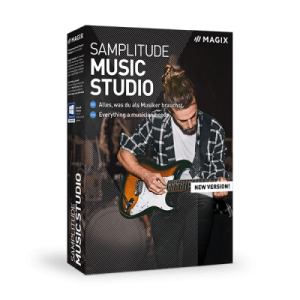
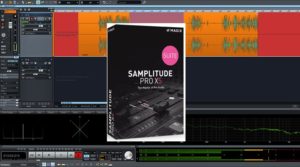
I’ve still been using Samplitude Pro X4 Suite and have been a bit of a hold-out on buying the upgrade to Samplitude Pro X5 Suite. For the past several months, the upgrade has been selling for $249. They throw in a lot of extra goodies with that, but frankly, none of them are worth much to me. I’m only worried about the actual Samplitude upgrade, so $249 seemed a little steep for that.
Just recently, Magix lowered the price on the Pro X5 Suite upgrade temporarily to $199. That was a little more tempting, but I still wasn’t quite there. In years past, I’ve successfully used coupon codes on Magix sale priced products, but that was usually for their consumer stuff, like Movie Edit Pro or Magix Music Maker. But in more recent years, when I’ve tried one of those coupon codes, I receive a message that says “this code cannot be used for this product”, or something like that, presumably because the product was already on sale.
However, this morning, I added the Samplitude Pro X5 Suite Upgrade to my cart and tried to use the most recent coupon code I had received from Magix via e-mail (MGXMAR2021), and it worked! So I was able to purchase the Pro X5 Suite upgrade for only $159.20 total! That price seems a little more reasonable to me, since I think in years past I was able to buy the upgrade at “regular price” for around $150. In any case, I thought I would share this info with others so they could also take advantage of this before Magix either raises the price or stops accepting the code!
If you’ve read many of my blog posts, you know my DAW of choice is Samplitude Pro X Suite. However, when I first started out with computer-based recording, I was using the “consumer” version of Samplitude, which is now known as Samplitude Music Studio. If you’re interested, I wrote a series of articles about the evolution of the consumer version of Samplitude, the first of which you can find by clicking here. (more…)
I’ve recently started jamming with some guys around the studio once in a while just for fun, but I ran into a slight problem: I need to keep my drum mics connected to my mic preamps so they’re always ready for recording drum tracks. However, I also needed to connect my drum mics to my live mixer (a Behringer X-Air XR18) so I can use my in ear monitors and add drums to the mix when jamming. So to put it simply, I needed a way to split the signals from my drum mics and send them to a couple of different sets of inputs. (more…)
A while back, I was in need of a few more XLR mic cables for use around the studio. After reading some positive reviews of other products from Monoprice, I decided to give their Premier Series XLR Microphone Cables a try. The specs are impressive. They use a thick, rubber-jacketed cable with a braided copper shield, and claim to use 16 AWG conductors (more about that later). The metal XLR connectors have gold-plated pins and are serviceable–as opposed to the molded plastic connectors found on many budget mic cables. Finally, the Monoprice cables sell for considerably less than comparable cables from other brands, and include a lifetime warranty–you certainly won’t get that with any other “budget” mic cables. (more…)
After years of recording and doing live sound, I’ve discovered that buying a mic stand for your kick drum is NOT where you should try and save some money. It’s just not worth it. A cheap stand will be tipping and slipping until you’re ready to pull your hair out. You’ll try all kinds of creative hacks involving duct tape, string, and sandbags to prevent it, only to have it happen again in the middle of a session or live gig. With that being said, I’d like to recommend a couple of specific mic stands that should serve you well in this application. (more…)
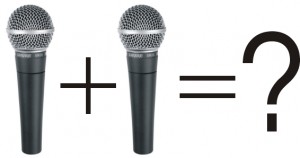
One of my most popular articles has been The Mono Summing Cable that No One Makes. I’ve been contacted by more readers regarding that article than probably any other that I’ve written. That article details why it’s a bad idea to use a regular Y-cable or TRS-to-TS cable to sum two (usually stereo left & right) line-level signals to mono by simply shorting the outputs together. It’s ok to use such a cable for SPLITTING a signal, but not for COMBINING or SUMMING two signals. That being said, it can work ok on some devices, but on others it can cause distortion, weird phasing artifacts, and possibly even damage the outputs of your gear. However, combining the outputs of two dynamic microphones is a different story, and in some applications it’s ok to do so with a regular XLR Y-cable, as we will soon see. (more…)
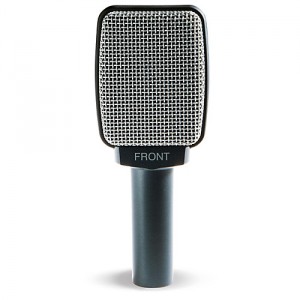
In this post, I’m going to discuss a mic that I’ve owned for a number of years: the Sennheiser e609 (also referred to as the “e609S” or “e609 Silver”). Like its sibling and confusingly-similar named Sennheiser e906, this dynamic mic is designed for use primarily as a guitar amp mic, but you could just as easily use it on a snare drum or rack tom of a drum kit. It employs a side-address design (similar to many large-diaphragm condensers) that makes it ideal for hanging it by the mic cable from the top of an amp, with the capsule pointing straight at the speaker. Some people will try this same trick with other dynamic mics (e.g. the Shure SM57), but that generally doesn’t work as well, because the source is off-axis with relation to the capsule. So if you like doing that sort of thing for miking an amp, the e609 may be just the thing for you. Even if you’re not hanging it by its cable and are putting it on a mic stand, it’s side-address design keeps the mic cable and connector pointing up or down instead of out, allowing the mic to sit closer to the amp and more out of the way than an SM57 or other similar mic. (more…)
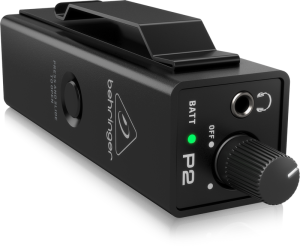
A couple of years ago, Behringer released the Powerplay P2, a beltpack headphone/personal monitor amp that has opened up the world of In Ear Monitors to even the most budget-conscious musician. What this compact, flexible little gem allows you to do is this: (more…)
I own an ART Pro MPA II mic preamp, which I really like. I most often use it for tracking vocals, in conjunction with my ART Pro VLA II compressor. I bought the Pro MPA II used, and ever since I’ve had it, it’s had a problem: when the unit was first powered on, the right VU meter would not light up. If it was left on for a while (usually a few hours), the light would usually eventually come on and stay on until I powered it off. This didn’t affect the performance of it as a mic preamp in any way, but it was annoying and looked bad when paying clients would come into the studio and my gear didn’t appear to be working correctly. That doesn’t exactly instill confidence in your customers. (more…)
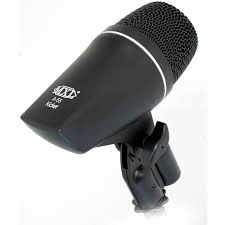
The MXL A-55 Kicker is a dynamic instrument mic that’s specially designed for use on kick drums and other low frequency instruments such as bass guitar amps. The mic has a tailored frequency response that gives you plenty of low-end punch and beater snap–what you typically want and need in a kick drum mic. I wasn’t necessarily in need of another kick mic, but I picked up an A-55 when I saw a deal on one that was just too good to pass up. (more…)
This blog contains affiliate links to products that we own and use. If you make a purchase after clicking a link, we may earn some money to help offset our expenses and create more helpful content like what you see here.
 March 15, 2021
|
Posted by Jon (admin)
March 15, 2021
|
Posted by Jon (admin)
 Categories: Recording, Technology, Tips for Artists & Bands, Tips for Engineers
|
Categories: Recording, Technology, Tips for Artists & Bands, Tips for Engineers
|  Tags: deal, magix, prox5, samplitude, upgrade